
Text Me: Second Phone Number
TextMe, Inc.Social
4.1110.61K Reviews
- Version
- 3.57.0
- Installs
- 50.00M
- Age Rating
- Everyone
Screenshots
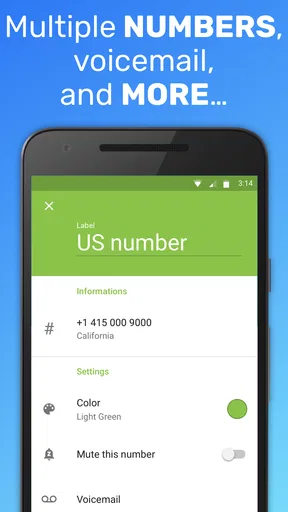
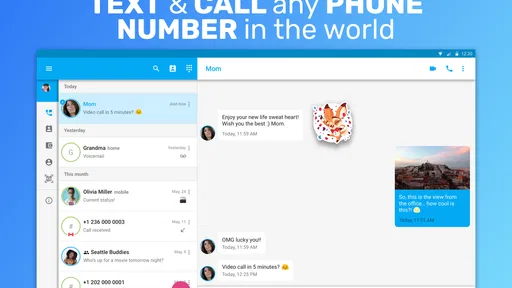
Our Review of Text Me: Second Phone Number
 Analysis by Appyee
Ever found yourself in a situation where giving out your personal phone number felt like a risky move? Enter Text Me: Second Phone Number, the app that's here to save the day. This nifty little tool turns your smartphone into a multi-number powerhouse, giving you the flexibility of a second line without the hassle of dealing with an extra SIM card. So, let's dive into how this app can keep your private life, well, private.
Who benefits most from a separate line?
I find the strongest case for a second number is not simply wanting another inbox; it is having a clear boundary between different kinds of contact. A freelancer can give clients a dedicated way to reach them, while an online seller can use a separate line for buyer conversations and stop sharing a personal number with strangers. Someone arranging a short-term project, local service, or date may also prefer to keep early conversations apart from family and friends.
That boundary works best when I use the number deliberately. I would choose a small set of contacts or one purpose for it, then keep the main number for people who already know me. If I hand out both numbers casually, the extra line adds another inbox to check without making my life more private or organized.
Why You Might Need a Second Phone Number
First off, let’s talk about the real-world scenarios where a second phone number might come in handy. Whether you’re a freelancer juggling multiple clients, an online seller interacting with potential buyers, or just someone who enjoys a little extra privacy on dating apps, having a second number can be a game-changer. It keeps your primary line free from spam and unwanted calls, allowing you to manage your communications more efficiently.
Getting Started with Text Me
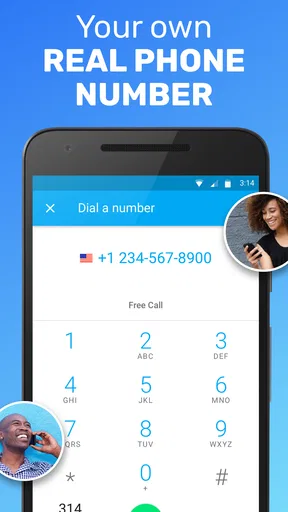
Setting up Text Me: Second Phone Number is a breeze. Once you download the app from the App Store or Google Play, it walks you through a straightforward registration process. The app asks for your basic details, and before you know it, you have a shiny new number to play with. You can pick from various area codes, which is a neat feature if you’re looking to establish a local presence in a different city.
One thing I found particularly useful is the option to customize your voicemail and greeting message. This adds a layer of professionalism if you’re using the app for business purposes. Plus, you can block numbers and set up auto-replies, making it super flexible.
Making the second line practical day to day
A useful way to try a second number is to make it the contact point for one ongoing task rather than treating it as a duplicate of your main phone. For example, if I am selling a chair online, I can keep questions about collection and timing in the separate conversation thread. Once the sale is done, I can stop using that line for new enquiries instead of leaving my main number attached to a one-off exchange.
For work, I would use a brief voicemail greeting that explains what kind of calls belong on the line and when I am likely to respond. That helps callers understand the purpose of the number without implying that I am always available. Auto-replies can be useful for setting expectations, but I would keep them plain and avoid putting sensitive details in a message sent automatically to unknown people.
Before relying on the app for an important conversation, I would test the routine with someone I know: send a text, place a call, and check that I can tell which line is being used. This small check is more useful than assuming that a second number will automatically create a clean work-and-personal split. If I start answering messages from the wrong line or missing calls because I have two inboxes, the extra separation may not be worth the added attention.
Features That Stand Out
Text Me isn’t just about providing a second number; it’s packed with features that make it a comprehensive communication tool. Here are a few highlights:
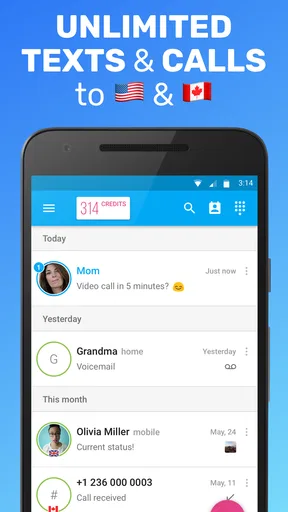
- Unlimited Texting and Calling: You get unlimited SMS and calling capabilities, making it a cost-effective solution compared to traditional phone plans.
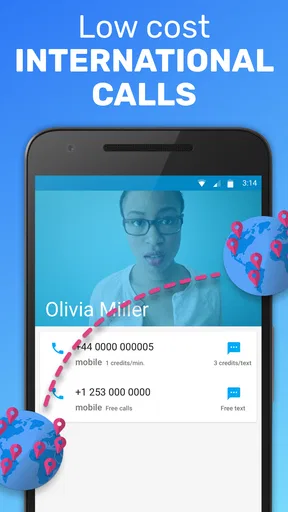
- International Calling: Need to make an international call? No problem. The app offers competitive rates, which can be a lifesaver for frequent travelers or those with connections abroad.
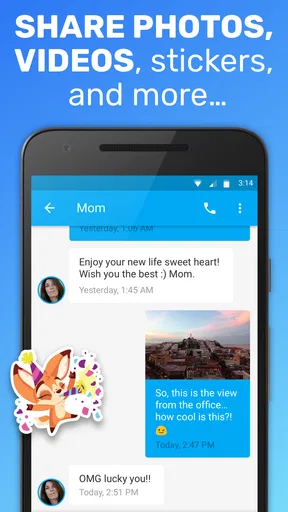
- Multimedia Messaging: Unlike some other apps, Text Me allows you to send pictures and videos, making your conversations more dynamic.
- Call Forwarding: If you’re unavailable, you can forward calls to your primary number or another line, ensuring you never miss an important call.
How it fits beside familiar alternatives
Compared with asking a carrier for an additional line, an app-based number avoids the need to manage another SIM card, which is appealing if I want a separate contact point without changing the phone I carry. A second carrier line may suit someone who wants their numbers tied to a traditional mobile plan, while Text Me is better suited to someone comfortable handling communication through an app and an internet connection.
It also serves a different purpose from a messaging service where both people need accounts on the same platform. A separate number is more useful when I need a phone-number-based way for clients or people I have just met to contact me. On the other hand, if nearly everyone I speak with already uses one messaging app, moving those conversations there may be simpler than maintaining another number and another inbox.
I would not treat this as a guaranteed replacement for a primary mobile line. The store summary focuses on texting and calls to the US, Canada, and other destinations, while international calling is described as having rates; those are different situations to consider. If the number must be dependable for every critical call, or if I need a conventional carrier line, I would compare those needs carefully before switching important contacts over.
Performance and User Experience
In terms of performance, Text Me runs smoothly without any noticeable lags. Call quality is generally good, though it might vary depending on your internet connection. The interface is intuitive and user-friendly, with a clean design that makes navigation a breeze. One thing I appreciate is how the app integrates seamlessly with my phone’s existing contacts, allowing me to manage everything from one place.
However, it's worth mentioning that the app does come with ads in the free version, which can be a bit distracting. But hey, that’s the trade-off for not paying a dime, right? If you find them bothersome, there’s always the option to upgrade to a premium version for a more streamlined experience.
What to check before making it your main extra line
The app is free to install, but that does not mean every possible use is cost-free. In-app purchases range from around a dollar to around eighty dollars per item, so I would check what a particular purchase covers before confirming it rather than assuming that a paid option is necessary for ordinary use. The free starting point makes it easy to explore, while the presence of purchases means it is sensible to pay attention to prompts and the value offered.
Text Me is developed by TextMe, Inc. and sits in the social category, even though its appeal is practical rather than feed-based: it gives people another way to communicate. It has an average rating of 4.2 from around 550,000 ratings, and more than 50 million installs. That level of adoption suggests it is familiar to many users, but popularity alone cannot tell me whether its call quality, ads, or number-management flow will suit my own routine.
The app is rated for Everyone, and its current version is 3.55.0, with Android 7.0 or later required. Those details matter if I am setting it up on an older device or recommending it to a family member: I would check the device’s operating system first, then make sure the person is comfortable using an app-based calling and texting service. The rating is not a promise that every conversation is appropriate for every age or that a second number removes the need for normal online safety.
Security and Privacy
With Text Me, you’re not just getting a second number; you’re getting peace of mind. The app takes your privacy seriously, with end-to-end encryption ensuring your conversations are secure. Plus, by using a separate number for specific purposes, you’re automatically adding a layer of privacy to your personal information.
It’s also reassuring to know that the app doesn’t access your personal contacts unless you explicitly allow it to. This means you’re in control of who gets your new number and how you use it.
Using the extra number with care
A second number can reduce how often I disclose my primary one, but that is a practical boundary, not a complete privacy guarantee. I would still think carefully before sending an address, a verification code, financial details, or private photos to someone I do not know. The number changes what I share with a contact; it does not make the contact trustworthy by itself.
For a sensitive conversation, I would also pause before forwarding calls or sending an automatic reply. Forwarding can be convenient when I am away from the app, but it may bring a conversation onto my primary line and weaken the separation I wanted. Likewise, a reply that goes out without my review should not reveal when I am home, where I am, or other information I would not send manually.
When deciding whether to allow contact access, I would consider how much convenience I actually gain from seeing existing contacts inside the app. If I only need the second number for a handful of new conversations, entering or selecting those contacts as needed may be preferable to granting broader access. The right choice depends on how I use the app, and I would revisit it if my habits change.
Final Thoughts
Overall, Text Me: Second Phone Number is a solid choice for anyone needing a secondary line without the fuss of additional hardware. Its feature-rich platform offers flexibility and control, making it ideal for both personal and professional use. While the occasional ad might be a minor inconvenience, the benefits far outweigh this slight drawback.
If you’re looking to keep your personal number private and your communications organized, this app is definitely worth a try. Just download it, set up your new number, and enjoy the freedom of a second line!
My cautious verdict
I would recommend Text Me to someone who wants a distinct number for a manageable stream of texts and calls, especially for selling items, handling freelance enquiries, or separating early-stage personal conversations from their everyday line. It is less compelling for someone who wants one seamless inbox, dislikes ads, depends on consistently strong connectivity, or needs a traditional carrier line for important calls. In those cases, keeping a carrier number or using an existing messaging service may be the less fussy option.
My practical advice is to begin with one low-stakes use, learn how the separate number behaves on your device, and only then give it to more people. Keep the purpose clear, review any purchase before paying, and decide deliberately about contact access and forwarding. Used with those boundaries, it can be a handy extra channel; without them, it can become another inbox to maintain rather than a meaningful privacy improvement.
Privacy and Permissions
See what permissions an app requests and how it handles your data.
- Identity
- find accounts on the device, add or remove accounts, read your own contact card
- Contacts
- find accounts on the device, read your contacts, modify your contacts
- Location
- approximate location (network-based), precise location (GPS and network-based)
- Phone
- directly call phone numbers, read phone status and identity
- Photos/Media/Files
- read the contents of your USB storage, modify or delete the contents of your USB storage
- Storage
- read the contents of your USB storage, modify or delete the contents of your USB storage
- Camera
- take pictures and videos
- Microphone
- record audio
- Wi-Fi connection information
- view Wi-Fi connections
- Device ID & call information
- read phone status and identity
- Other
- view network connections, create accounts and set passwords, pair with Bluetooth devices, access Bluetooth settings, send sticky broadcast, allow Wi-Fi Multicast reception, connect and disconnect from Wi-Fi, disable your screen lock, full network access, change your audio settings, read sync settings, run at startup, reorder running apps, draw over other apps, use accounts on the device, control vibration, prevent device from sleeping, toggle sync on and off, Google Play license check, read Google service configuration
Verdict
Strengths of Text Me: Second Phone Number
- Easy to set up and use interface.
- Offers free texting and calling.
- Supports multiple numbers on one device.
- Good international call rates.
- No need for a second SIM card.
Limitations of Text Me: Second Phone Number
- Contains frequent ads during use.
- Limited free credits for calling.
- Requires internet connection.
- Some premium features are costly.
- Occasional connection issues.
Other Releases by TextMe, Inc.
View All
FreeTone Calls & Texting
Social4.1

TextMe Up Calling & Texts
Communication4.2
Similar Picks in This Category
View All
Meta Platforms, Inc.4.6

Instagram4.0

Likee-Live, Chat & Party Games
Likeme Pte. Ltd.4.4

Facebook Lite
Meta Platforms, Inc.4.5

TikTok - Videos, Shop & LIVE
TikTok Pte. Ltd.4.0

Moj: Free Short Drama & Reels
ShareChat4.1
You May Also Like
View All

Frequently Asked Questions
What is Text Me: Second Phone Number?
Text Me: Second Phone Number is an app that allows users to create a separate phone number for texting and calling without needing an additional SIM card. This is ideal for maintaining privacy, managing business communications, or separating work and personal life. The app is available on both Android and iOS platforms.
How does Text Me: Second Phone Number work?
The app assigns you a new phone number that you can use for calls and texts, similar to your primary number. You can choose from various area codes, and the app uses your internet connection to make these calls and send texts, which can save on traditional carrier charges.
Is Text Me: Second Phone Number free to use?
Text Me offers a free version with limited features, including a set number of texts and calls. For more extensive use, such as unlimited calling and texting or premium features, users may need to subscribe to a paid plan. Check the app for the latest pricing and subscription options.
What are the privacy features of Text Me: Second Phone Number?
The app is designed with privacy in mind, allowing users to keep their personal number private. It does not share your personal information with third parties and includes features such as call blocking and number masking to enhance user privacy.
Can I use Text Me: Second Phone Number internationally?
Yes, Text Me can be used internationally, allowing you to make calls and send texts to other countries. However, the availability of numbers and features may vary based on location, and international calls may incur additional charges depending on your subscription plan.
